Workout planner & tracker
Know exactly what to lift next.
Stop guessing. Start progressing.
NotchLift plans your split, puts last session beside every set, and tells you when it’s time to add weight. Fast enough for the gym floor, and it works without signal.
14-day free trial · No card needed
Works in your phone’s browser, no app store needed. Add it to your home screen.
- Works with no signal
- Kilograms or pounds
- Export your data any time
- No ads, no social feed
How it works
Plan it. Log it. Beat it.
Three steps, every session, and the app does the remembering.
- 1
Pick your split
Start from Push / Pull / Legs, Upper / Lower or Full Body, or build your own workouts with sets, rep ranges and rest times.
- 2
Log every set
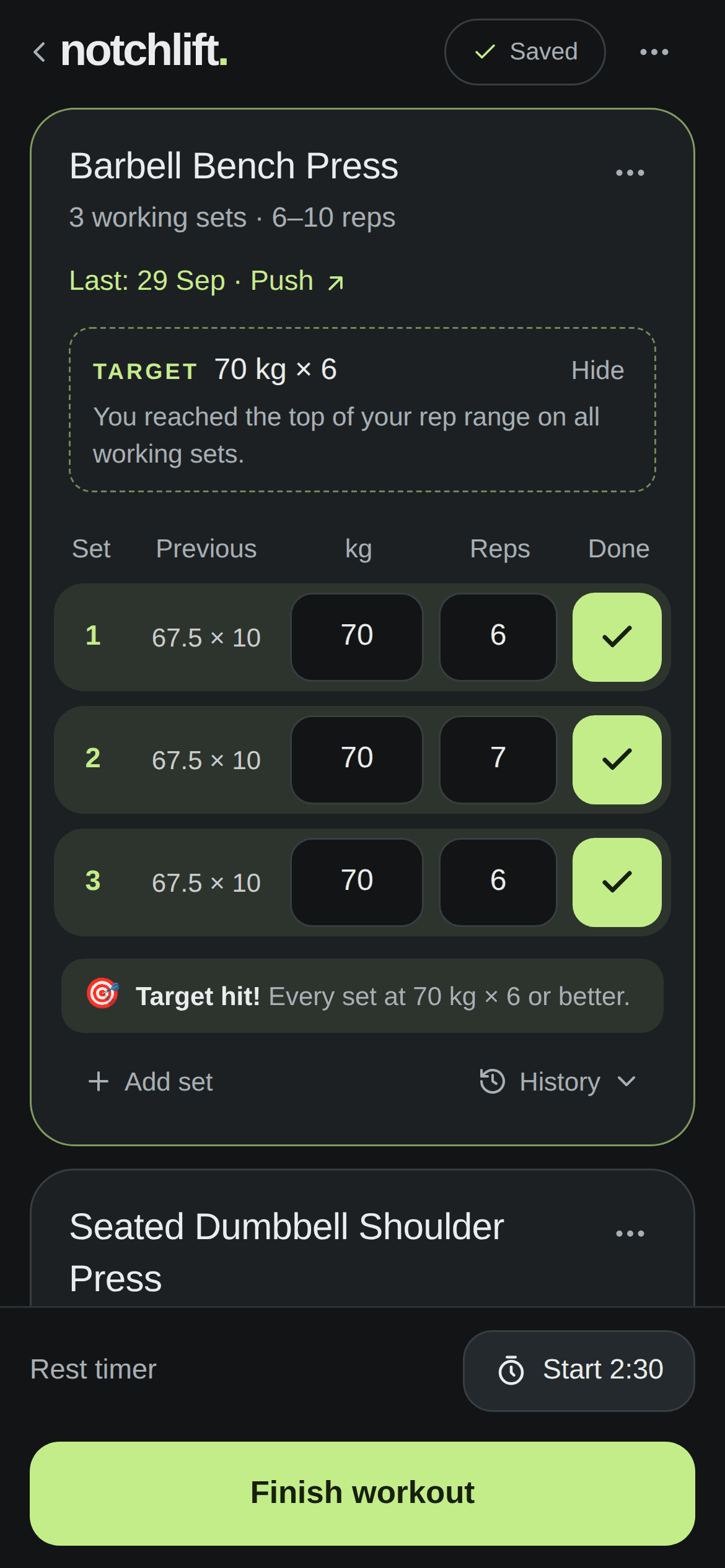
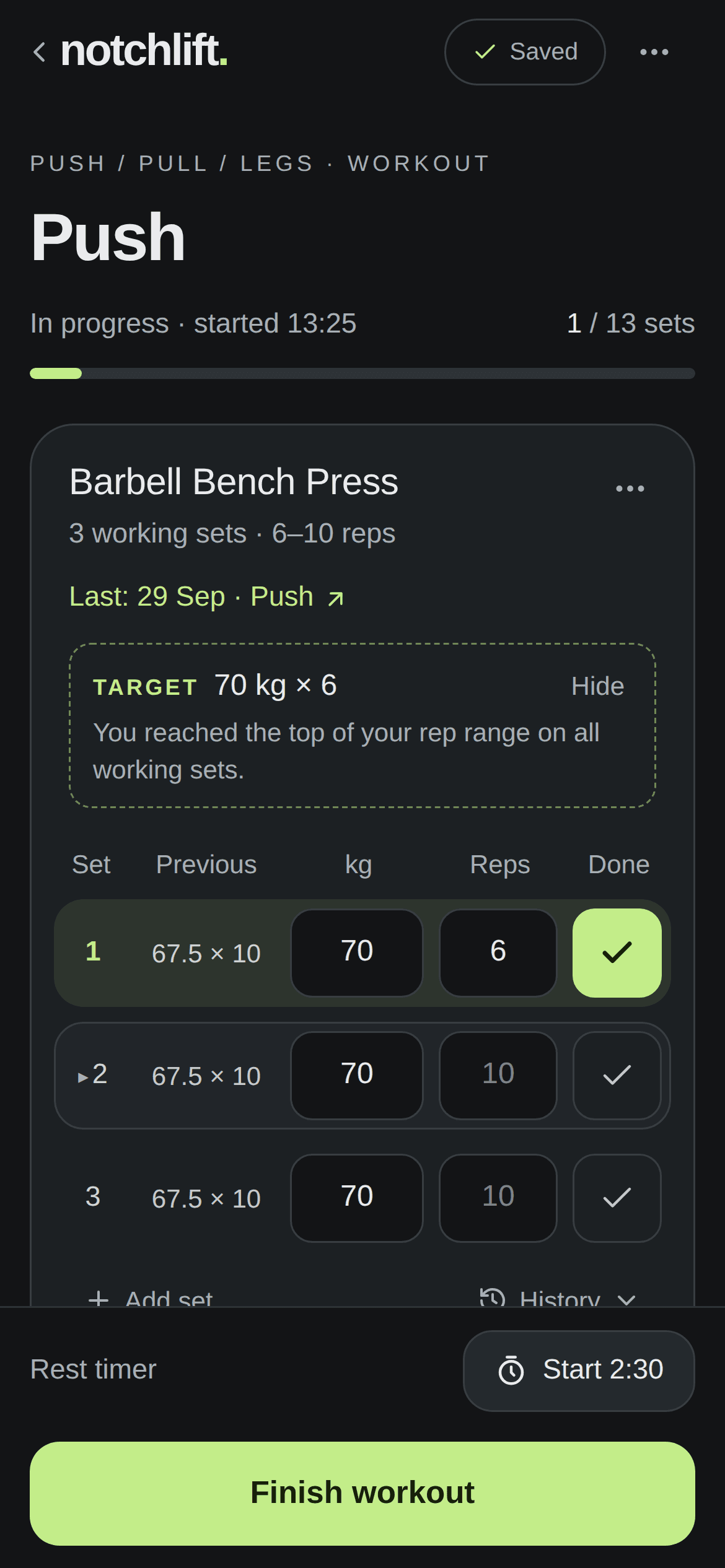
Last session sits beside every set, weights are filled in, and one tap records it. The rest timer starts itself if you want it to.
- 3
Get told when to go up
Hit the top of your rep range on every set and NotchLift gives you your next weight. Miss it, and it tells you how many reps to chase.
Logging
Never forget a lift.
No scrolling back through notes or guessing what you did last week. Every set shows what you lifted last time, so you always know the number to beat.
- Weights carried over from last time
- One tap to confirm a set, one tap to undo
- Warm-ups kept separate from working sets
Progressive overload
Know when to go heavier.
Switch on targets for an exercise and NotchLift applies double progression for you: more reps until you own the range, then more weight. When you hit it, you’ll know.
- Your increment: 2.5 kg plates, 2 kg dumbbells or 5 lb jumps
- Only compares like with like, so targets stay honest
- Suggestions only; nothing is logged until you confirm it
Progress
See yourself getting stronger.
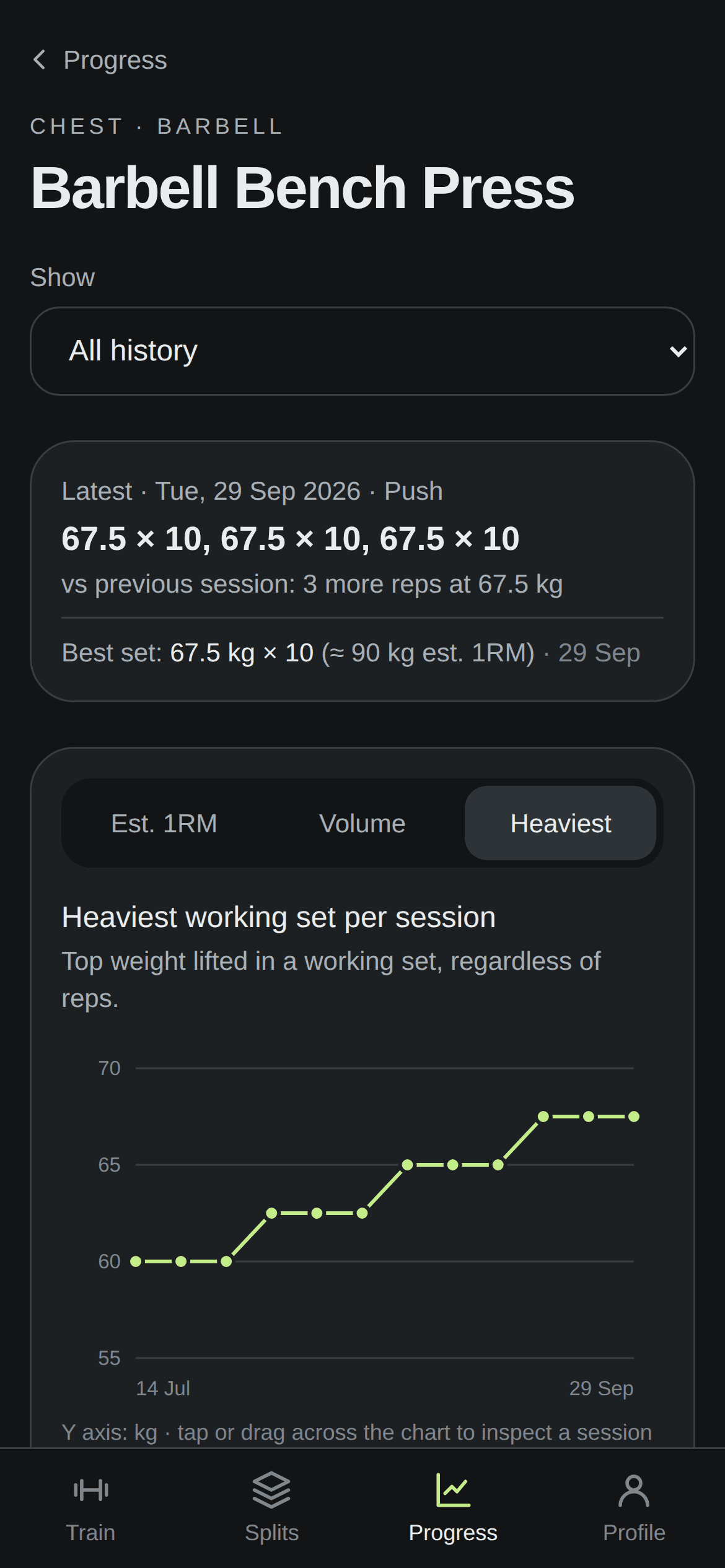
Charts for estimated 1RM, volume and heaviest set on every exercise, plus your records. History follows the exercise, so changing your split never resets your progress.
- Estimated 1RM, volume and heaviest set
- Records recalculated whenever you edit a workout
- Filter by split or training block
Your plan
Always know what’s next.
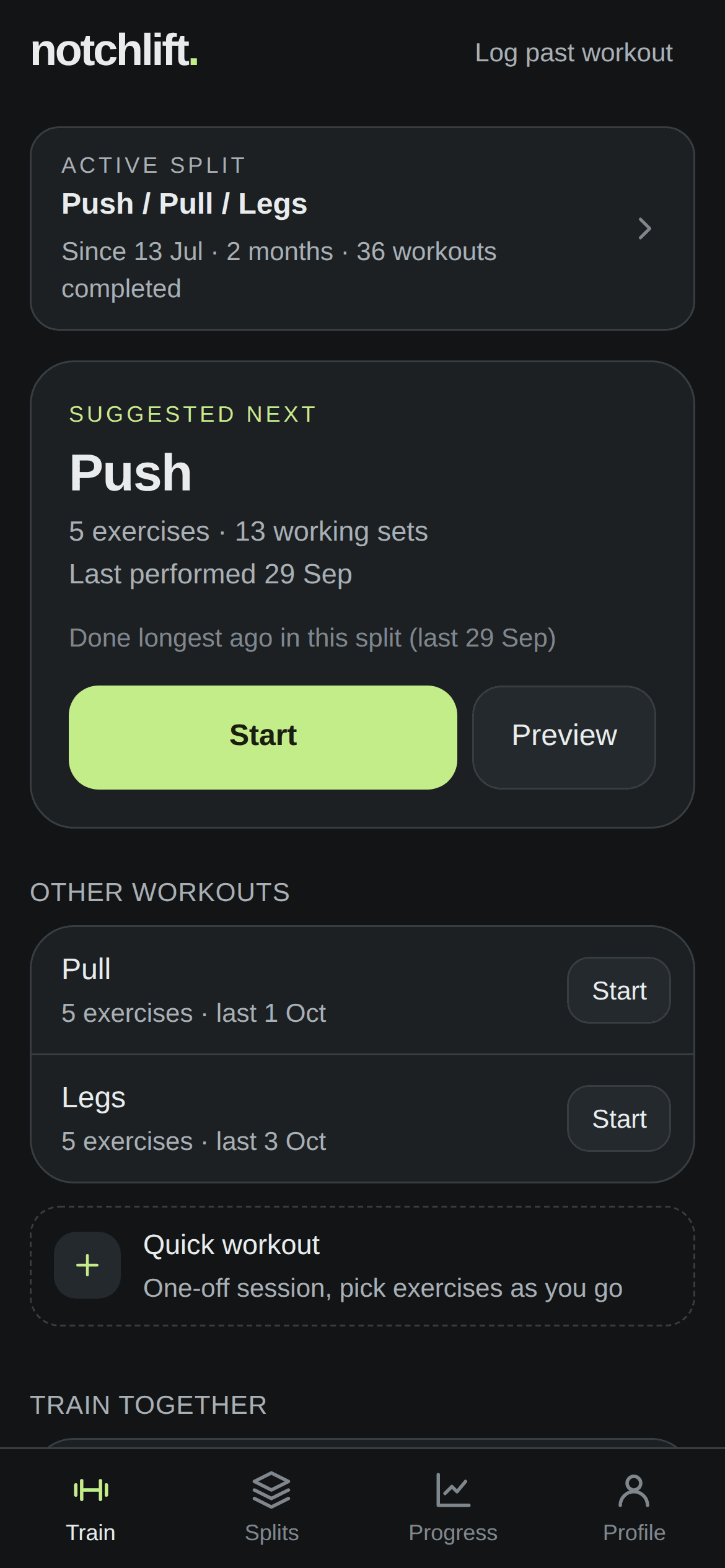
Open the app and your next workout is waiting: whichever one in your split you did longest ago. Start it in one tap, or log a quick one-off session.
- Next workout suggested from your active split
- Log workouts afterwards with the right date
- Share a split with a friend; your numbers stay private
Train together
Bring your training partner.
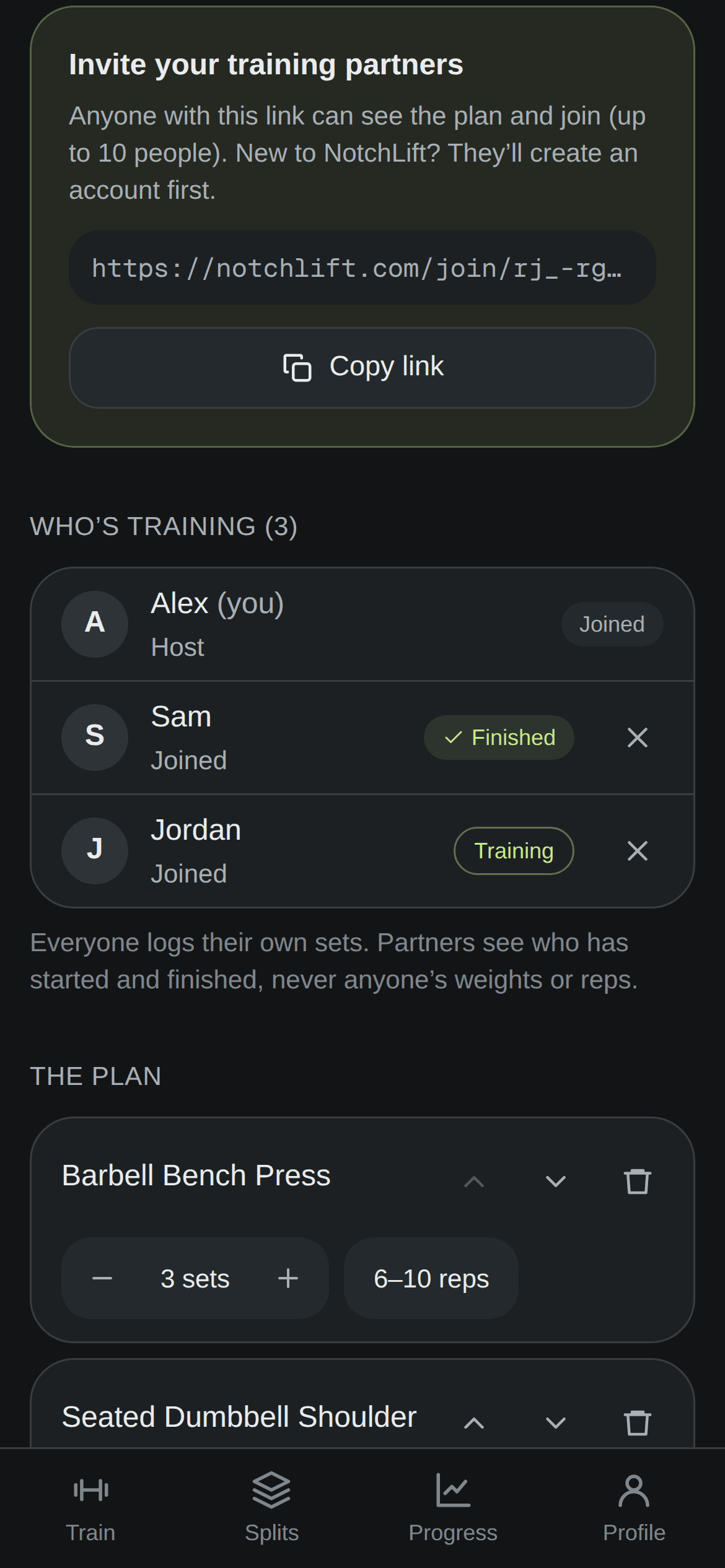
Plan a group workout, send the link, and everyone trains from the same plan on their own phone. Each person logs their own sets and keeps their own history and targets.
- Share a link on WhatsApp; friends join in a tap
- See who’s training and who’s finished
- Your weights and reps stay private to you
And the details
Made for real gym sessions.
Built for basement gyms
Everything saves on your phone first and syncs when you’re back online. No signal, no problem.
Rest timer that keeps time
Counts from the clock, not the screen, so it stays right when your phone locks.
Records you can trust
Heaviest load, best estimated 1RM and most reps, worked out from your real history.
Splits that evolve
Change programmes as often as you like. Every exercise keeps its full history.
Share a split
Send your programme to a training partner. They get the plan, never your weights.
Kilograms or pounds
Train in kg or lb. Switch any time and everything converts exactly.
Pricing
Try it free for 14 days.
Every feature from day one. No card needed to start.
Yearly
Save 37%£30 / year
Just £2.50 a month
- Unlimited splits, workouts and history
- Targets, records and progress charts
- Group workouts with friends
- Offline logging and rest timer
- Kilograms or pounds, export any time
Monthly
£3.99 / month
Cancel any time
- Unlimited splits, workouts and history
- Targets, records and progress charts
- Group workouts with friends
- Offline logging and rest timer
- Kilograms or pounds, export any time
After 14 days, choose a plan to keep logging new workouts. Your history stays viewable and exportable either way. Prices include VAT.
FAQ
Questions, answered.
Is there an app to download?
NotchLift runs in your phone’s browser, so there’s nothing to install from an app store. Add it to your home screen and it opens full screen with its own icon, just like any other app. It works on iPhone and Android.
What happens when my trial ends?
After 14 days, choose a plan to keep logging new workouts. If you don’t, nothing is deleted: your history, progress and records stay viewable, and you can export everything at any time.
Does it work without signal?
Yes. Every set is saved on your phone the moment you log it and syncs to your account when you’re back online. You can start and finish a whole workout underground.
I don’t have a programme. Can I still use it?
Pick a ready-made split (Push / Pull / Legs, Upper / Lower or Full Body) when you sign up. Every exercise, set count and rep range can be changed later, and your history comes with you.
How do targets work?
Targets use double progression. If every working set reached the top of your rep range last time, your target adds your chosen increment. If not, it keeps the weight and aims for more reps. They’re suggestions: nothing counts until you confirm a set.
Can I train with a friend?
Yes. Plan a group workout from one of your workouts, or build one on the spot, and share the link. Friends join (signing up first if they’re new), and at the gym everyone starts the same plan on their own phone. You’ll see who’s training and who’s finished. Nobody sees anyone else’s weights or reps.
Who can see my workouts?
Only you. There are no public profiles and no feed. Sharing a split or a group workout shares the plan, never your numbers. You can export everything as a spreadsheet or JSON, or delete your account, at any time. Privacy notice
What does it cost?
Every account starts with a 14-day free trial, no card needed. After that it’s £3.99 a month or £30 a year (£2.50 a month). Prices include VAT. Cancel any time. Nothing you’ve logged is ever deleted for not paying, and you can always export it.
Your next PR starts with your next set.
Set up your split in under a minute. 14 days free, no card needed.
Start training free